


How to Choose an Email Marketing Platform: 2026 Guide
Every ESP pitch sounds the same. Automation, segmentation, beautiful templates, a friendly free tier. Then you open five pricing pages side by side and realize you cannot compare them at all, because they are not priced on the same thing. That is the real reason this decision is harder than it should be. It is also the shortcut: your bill is decided by how you send, long before it is decided by what the tool can do. Get your sending pattern clear first, and half the market eliminates itself.
The pricing model question: contact-based vs send-volume-based
Most ESPs charge on one of two meters, and the meter will move your monthly bill more than any feature ever will.
Contact-based pricing charges for the size of your list, whether you mail it or not. Mailchimp and Klaviyo work this way. Think gym membership: you pay every month, including the months you never show up. Fine if you mail your whole list weekly. Expensive if half your contacts hear from you once a quarter.
Send-volume pricing charges per email sent. Brevo is the most prominent example. That is pay-per-class: cheap for a big list you rarely mail, and it climbs fast once you send daily.
The homework takes five minutes. Multiply list size by sends per month. That one number tells you which meter is cheaper for your pattern, and it will do more for your shortlist than any demo.
For example, a list of 10,000 contacts mailed once a month produces about 10,000 sends. The same list mailed weekly produces about 40,000. A contact-based vendor sees the same list in both cases. A send-volume vendor sees four times the activity. Put both calculations next to the vendors' current tiers before you compare features.
The features worth scrutinising in a demo
Four automation capabilities separate the field:
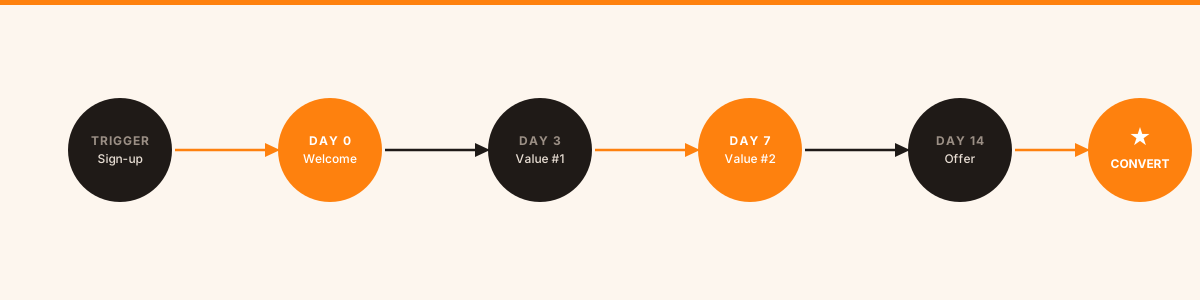
Behavioral triggers. Can the tool react to what a person did: visited your pricing page, abandoned a cart, clicked one specific link? Calendar-based automation is fine for a newsletter. Lifecycle sequences need triggers. This line splits the market in two.
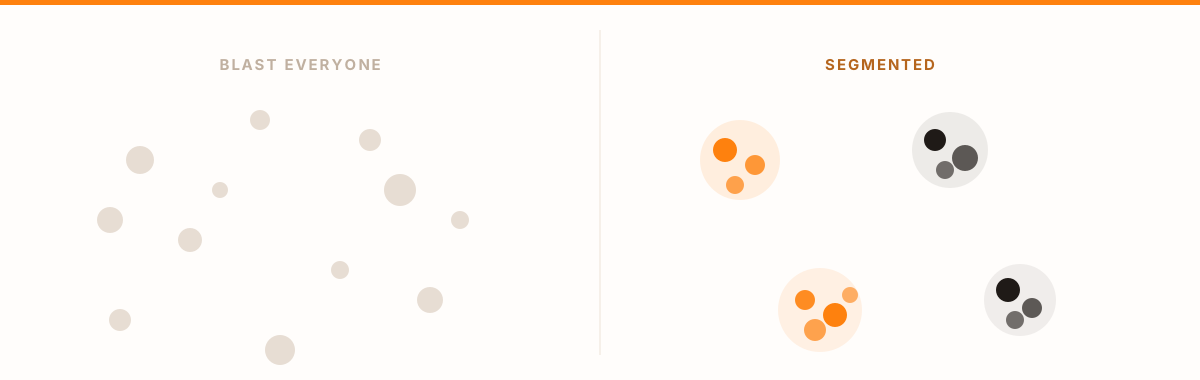
Segmentation depth. Can you segment by custom properties you define, or only by the fields the platform ships with? If you collect any data specific to your business, this is the difference between the segments you want and the segments the vendor imagined for you.
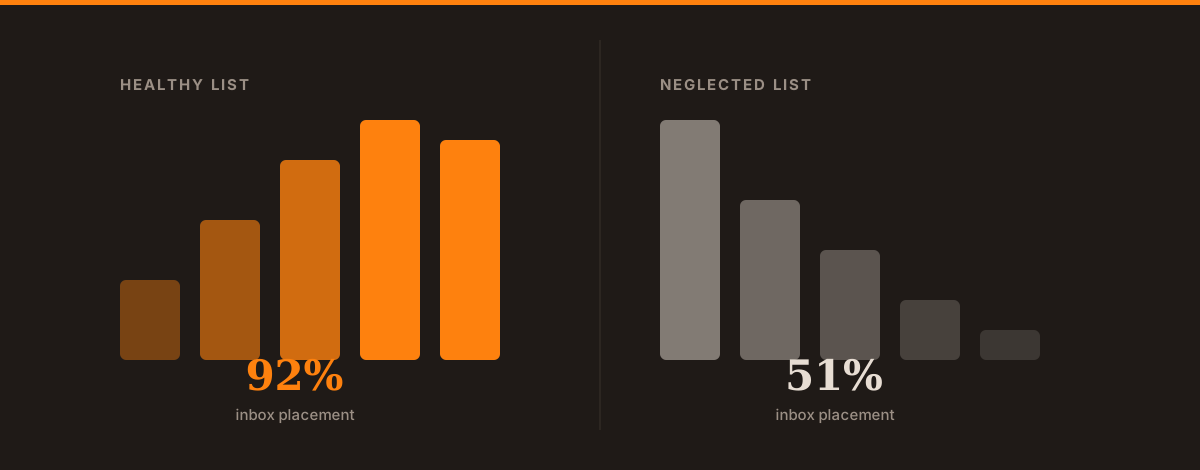
Deliverability infrastructure. Shared IP pools vs dedicated IPs, DMARC/DKIM setup, and whether you get deliverability reporting rather than just open rates. Inbox placement is the number that matters. Open rate is a proxy, and a flattering one.
A/B testing scope. Some tools test subject lines and stop there. Better ones test full email variants, send times, and entire sequence branches.
Which tool fits your sending pattern
A small newsletter with regular sends and simple automation: MailerLite is a clean place to start because the builder is easy to learn. Its free allowance became much tighter in 2026, so check the current subscriber limit and the first paid tier together. A free plan that lasts one month is a trial in practice.
A large list with infrequent sends: Brevo deserves a place on the shortlist because send-volume pricing can fit this pattern better than a contact-based meter. Check how the bill changes if the team moves from a monthly newsletter to weekly lifecycle sends.
E-commerce with cart, product, and purchase events: Klaviyo is worth testing when the program depends on deep Shopify data and behavioral segmentation. The premium pays back only if those events drive flows the team will actually run.
B2B lifecycle work tied to CRM stages: ActiveCampaign and HubSpot belong in the comparison when sales handoffs, lead status, and account data matter. Map one real nurture and handoff before the demo. The setup burden becomes visible as soon as the sequence has to update the CRM and alert a salesperson.
If the budget is the main constraint, the free tier showdown compares which free plans can support a working campaign in 2026.
What to check before you commit
Free trials are built to show you the nice parts. Ask for the ugly ones:
- A demo of the automation builder using one of your real sequences
- Deliverability reporting for the shared pool you would join
- What happens to your data and how long export takes if you leave
- Whether tags, custom fields, consent records, templates, and automation logic survive that export
- Whether the price you see is the price you will pay in 12 months (intro discounts are common)
Rehearse the migration before the tool owns the workflow
An ESP becomes expensive to leave long before the subscription itself looks expensive. The lock-in sits in the custom fields, consent history, templates, suppression lists, domain setup, and automations the team has built over time.
Before committing, export a small test segment and rebuild one real sequence in a second tool. Check whether contact status, consent timestamp, tags, and custom properties arrive in usable fields. Then estimate how many templates and branches would need to be recreated if the team moved in a year. This rehearsal exposes migration cost while the shortlist is still open, and it often reveals which “small” product limitations will become operational problems later.
Compare your options on Mardex
The lifecycle and CRM category on Mardex indexes the full range of email marketing platforms. Filter by free plan availability, pricing model, company stage, or specific features to narrow down candidates before you start trials.
Most of the well-known platforms will do the job. What separates them is how they fit the way your team works, and how fast the price climbs as your list grows. Judge the meter and the migration path first. The feature grid can wait until your shortlist is three names long.